Home/Projects/Privacy apps/Privacy Report
PRIVACY APPS

See what your apps track.

Your iPhone already records which apps reached for your camera, microphone, location and photos, and which servers they contacted while doing it. The file it produces is unreadable. Privacy Report turns it into a picture you can actually read, entirely on your device.

Privacy Report app icon

Privacy Report: App Trackers

See what your apps track

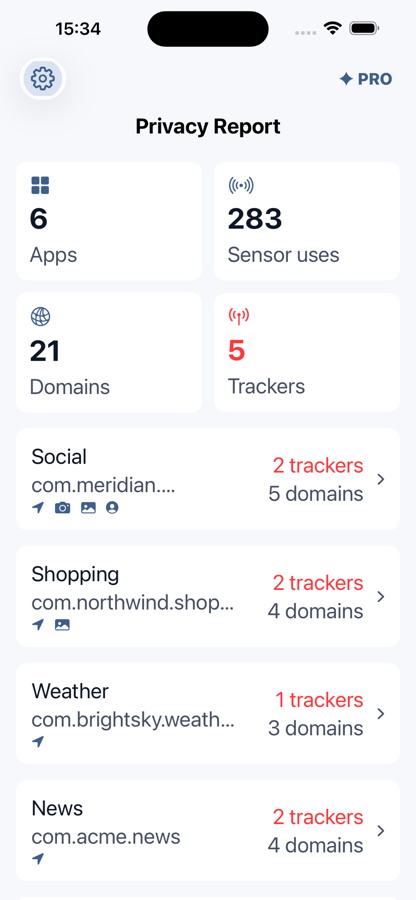
Import Apple's App Privacy Report and read it sorted by app or by sensor. Spot the apps reaching for the camera, microphone or location most, and see the domains behind the scenes.

On-device onlyNo accountNo adsNine languagesiPhone & iPad

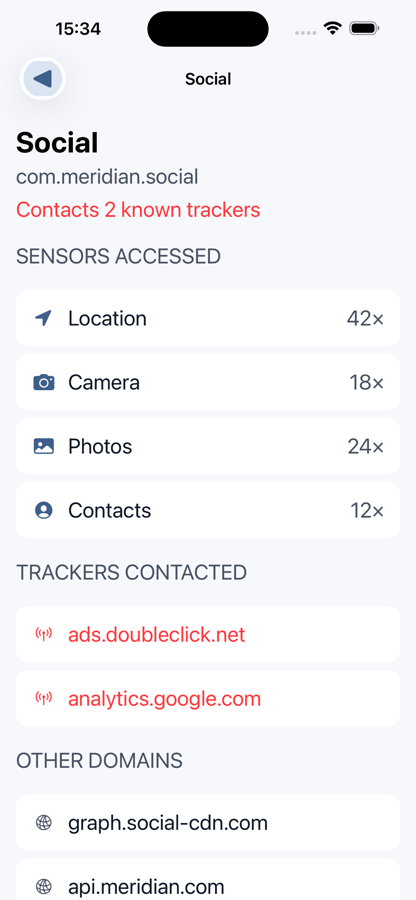
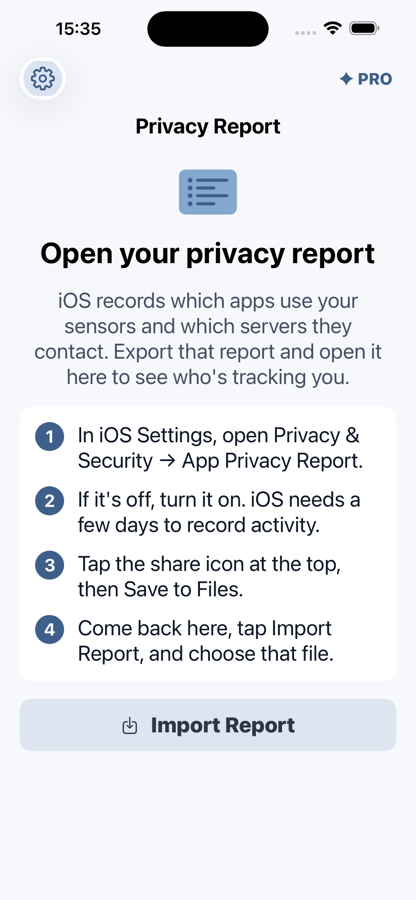
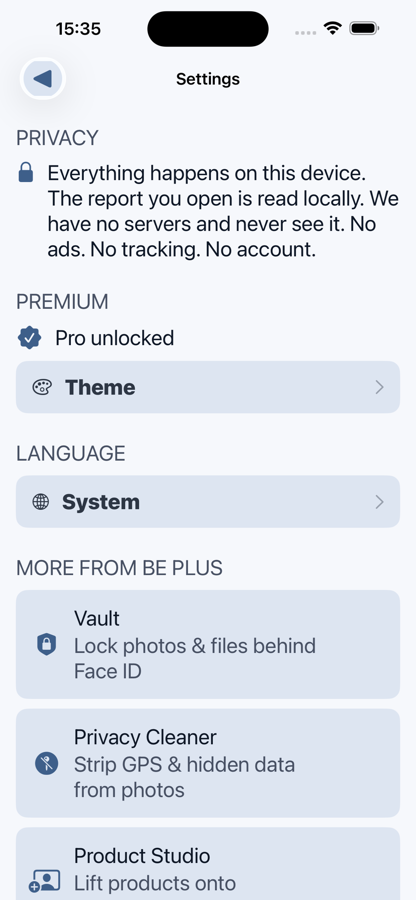
Privacy Report dashboard: 6 apps, 283 sensor uses, 21 domains and 5 trackers, above a list of apps with their tracker and domain counts Per-app detail: location used 42 times, camera 18, photos 24 and contacts 12, with ads.doubleclick.net and analytics.google.com flagged as known trackers The import screen, listing the four steps for exporting Apple's App Privacy Report from iOS Settings Privacy Report settings screen

How to open your iPhone's App Privacy Report

iOS has recorded this since version 15, but it is switched off by default and the export is a raw data file. These are the four steps, and they are the same ones the app shows you on first launch.

  • Step 1In iOS Settings, open Privacy & Security, then App Privacy Report.
  • Step 2If it is off, turn it on. iOS needs a few days to record activity.
  • Step 3Tap the share icon at the top, then Save to Files.
  • Step 4Open Privacy Report, tap Import Report, and choose that file.

Worth knowing. App Privacy Report only starts recording once you turn it on, so a report exported the same afternoon will look almost empty. Leave it running for a few days before judging any app by it.

What the app shows you

  • Which apps used which sensorsCamera, microphone, location, photos and contacts, with how many times each.
  • The domains behind the scenesEvery server your apps quietly contacted, grouped per app.
  • Known trackers, flaggedAd and analytics domains marked in the network list, so the list is not just noise.
  • An answer, not a data dumpWho is tracking you, and through which app.

It reveals, it does not block. Privacy Report shows what your apps already did. Revoking an app's access to the camera, microphone or location is done in iOS Settings, and the app will never claim otherwise.

Questions

Where does my report go?

Nowhere. The file is parsed entirely on your iPhone. BE PLUS has no servers and never receives your report or your data. An app about privacy has no business collecting yours.

Does Privacy Report block trackers?

No. It shows you what your apps already did: which sensors they used and which domains and trackers they contacted. It reveals, it does not block. Deciding who keeps the access is up to you, in iOS Settings.

Why does iOS need a few days before there is anything to see?

App Privacy Report only starts recording once you switch it on in Settings, and it logs activity as it happens. A report exported minutes after turning it on has almost nothing in it.

What does Pro add?

Tracker detection, which flags known ad and analytics domains in the network list, plus a clean summary you can export, and themes. It is a one-time purchase, not a subscription.

Which devices and languages?

iPhone and iPad. The app ships in nine languages: English, French, German, Italian, Japanese, Korean, Portuguese, Romanian and Spanish.

Building something privacy-first?

We build apps that work entirely on the device, with no servers to leak what they never received.

Start a project